01 · Plan
Your routine, ready.
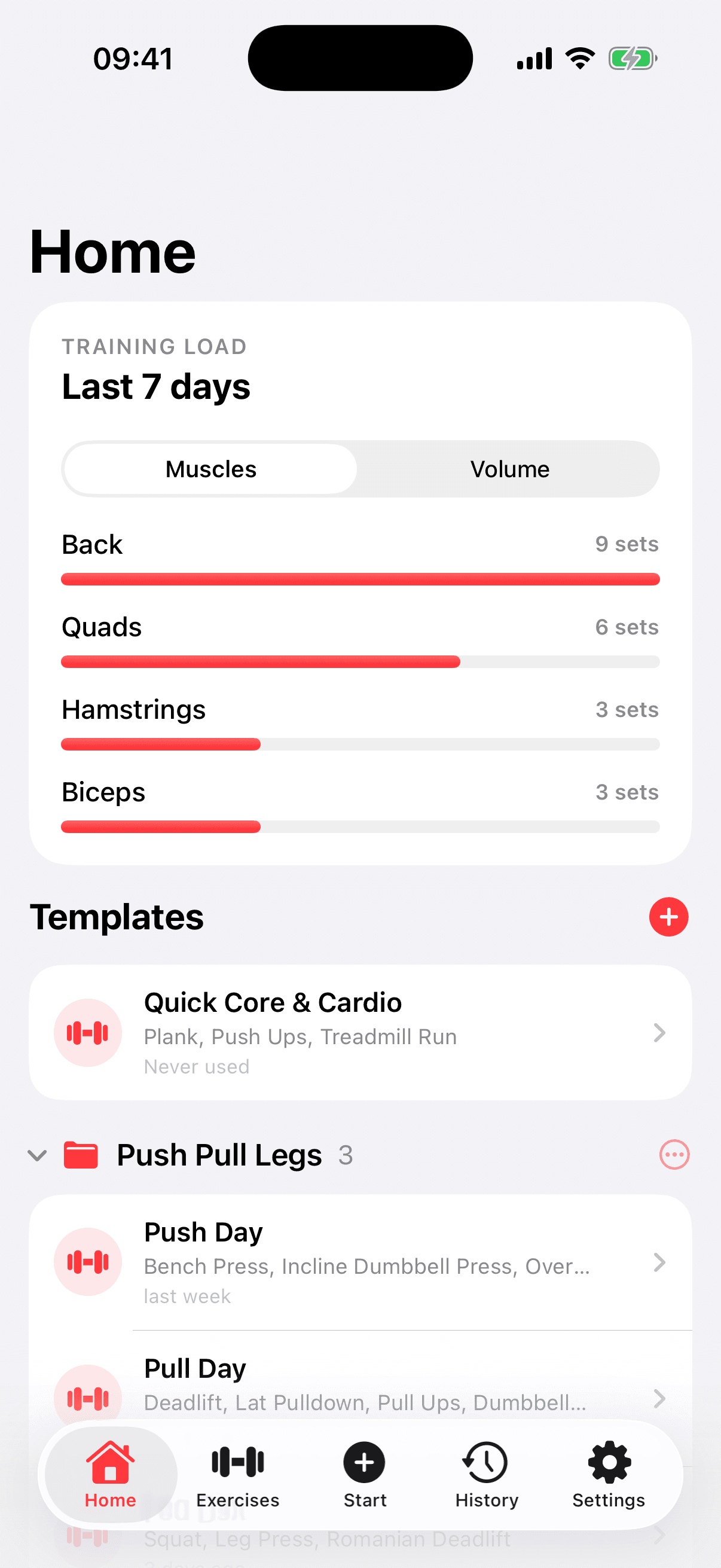
Build reusable templates, group them into folders, and see recent muscle load before you start.
Free workout tracker for iPhone
Import your training plan, log sets, reps and weights, and track progressive overload in a focused iPhone workout tracker—with no ads, upsells, or recurring fee.
 Completely freeNo subscription
Tracking should take less attention than training.
The complete loop
The product stays useful before, during, and after a workout without trying to become the reason you train.
Build reusable templates, group them into folders, and see recent muscle load before you start.
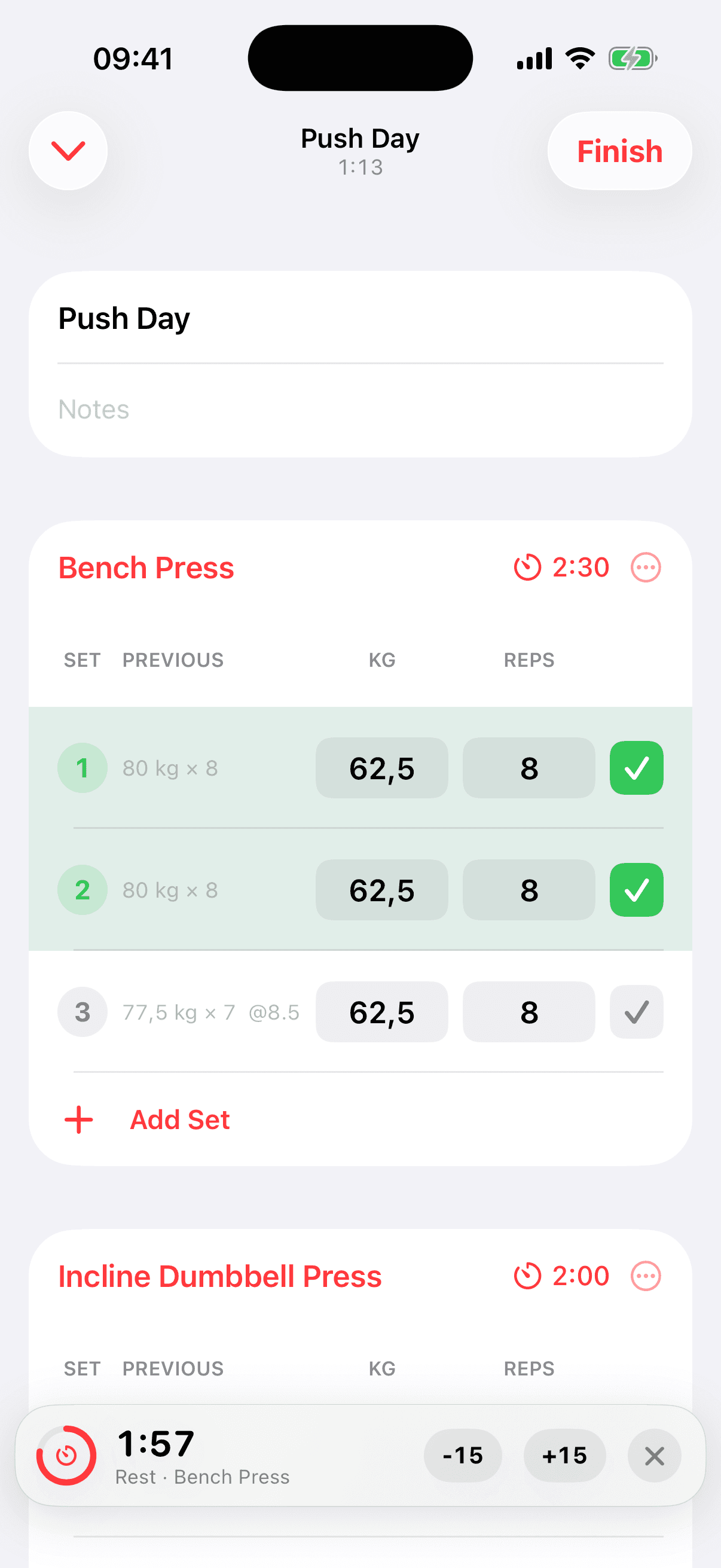
Previous values, set states, rest timers, and clear exercise cards keep the live session moving.
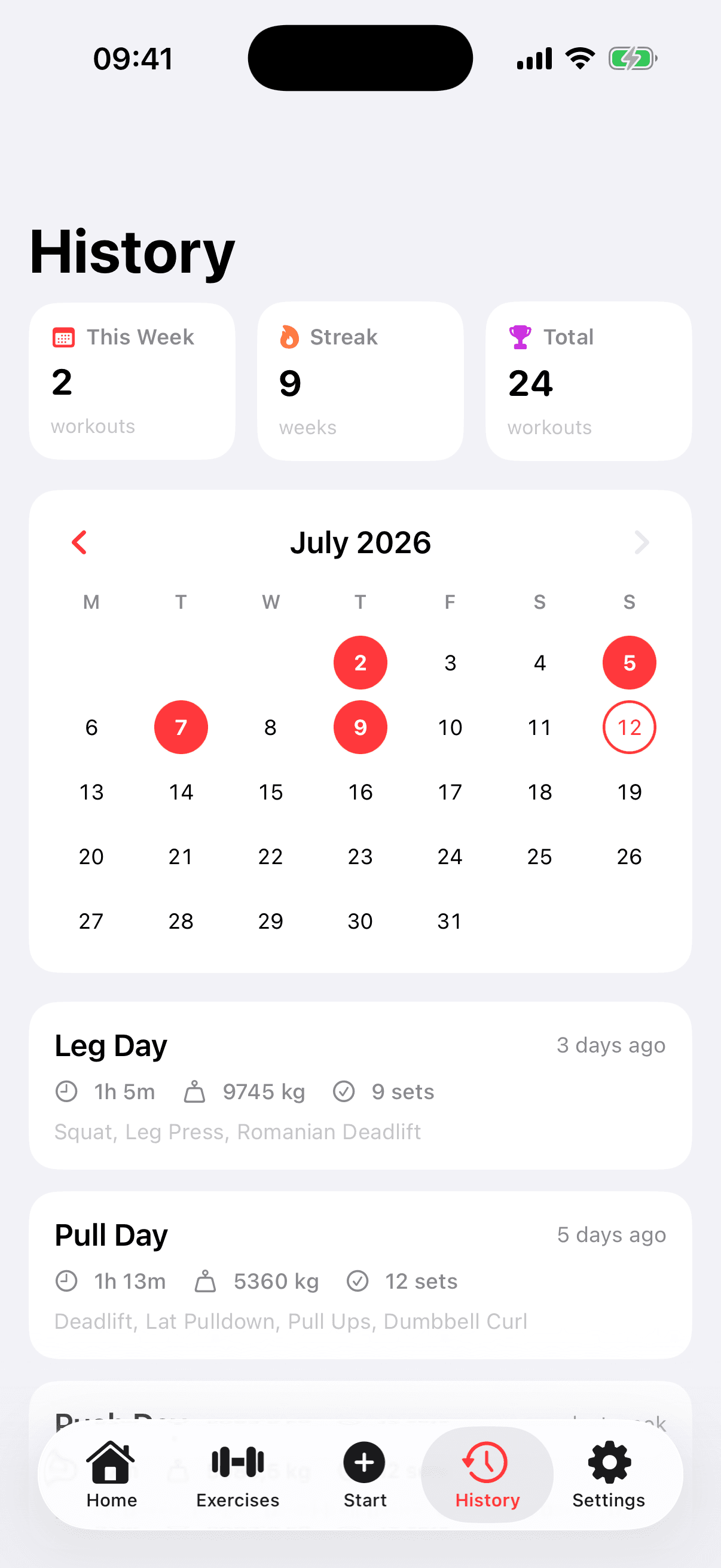
Use the calendar and workout summaries to see the work you have done over time.
AI-assisted plan import
Gym Tracker gives you a prompt and import format. Use ChatGPT, Claude, or another general assistant to structure your plan, then bring the result into organized workout templates.
Low-friction logging
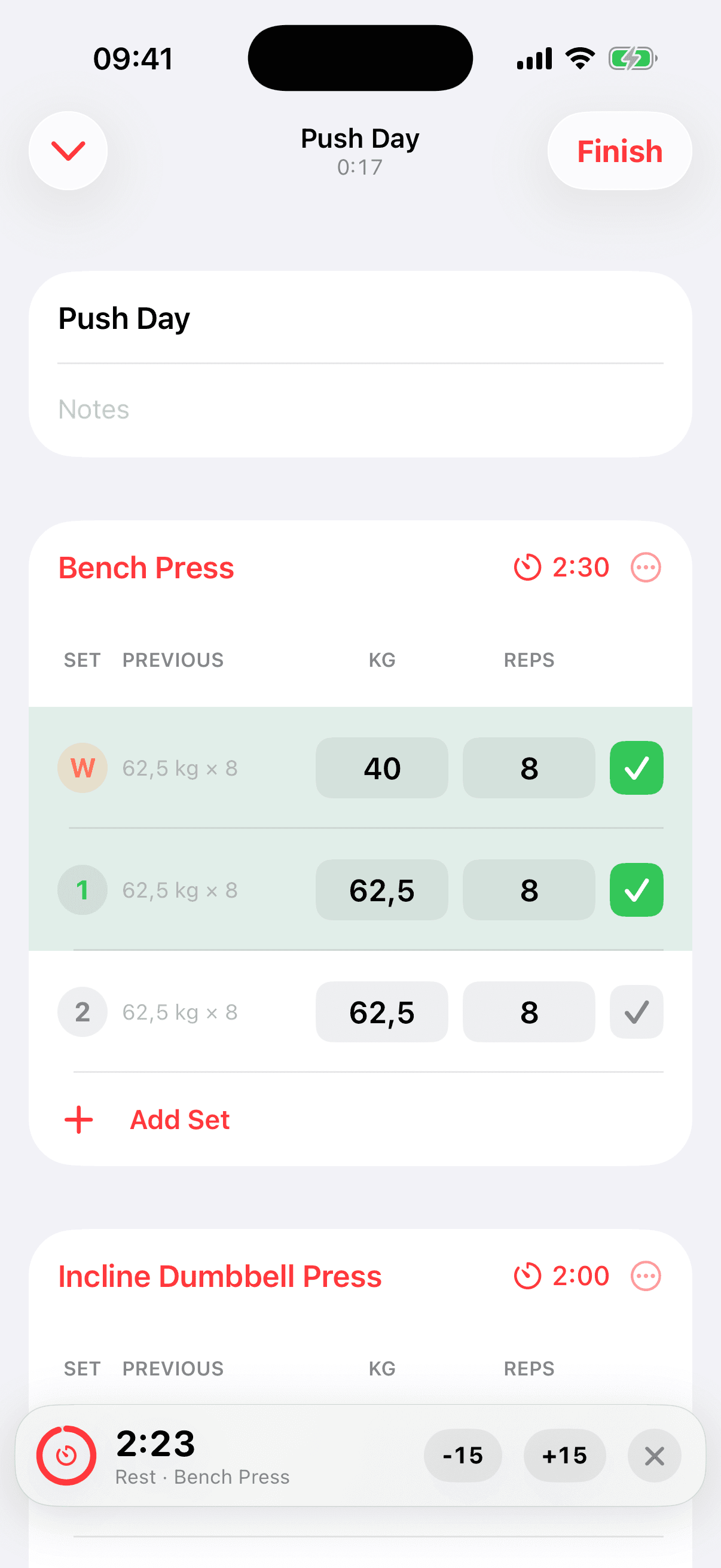
Purpose-built controls reduce the small interruptions that make phone logging feel heavier than it should.
Previous-performance values stay beside the set you are entering.
Warm-up sets remain in the log but stay out of working-set volume, load, and records.
Minimize or relaunch the app and resume an unfinished session.
Progress that stays readable
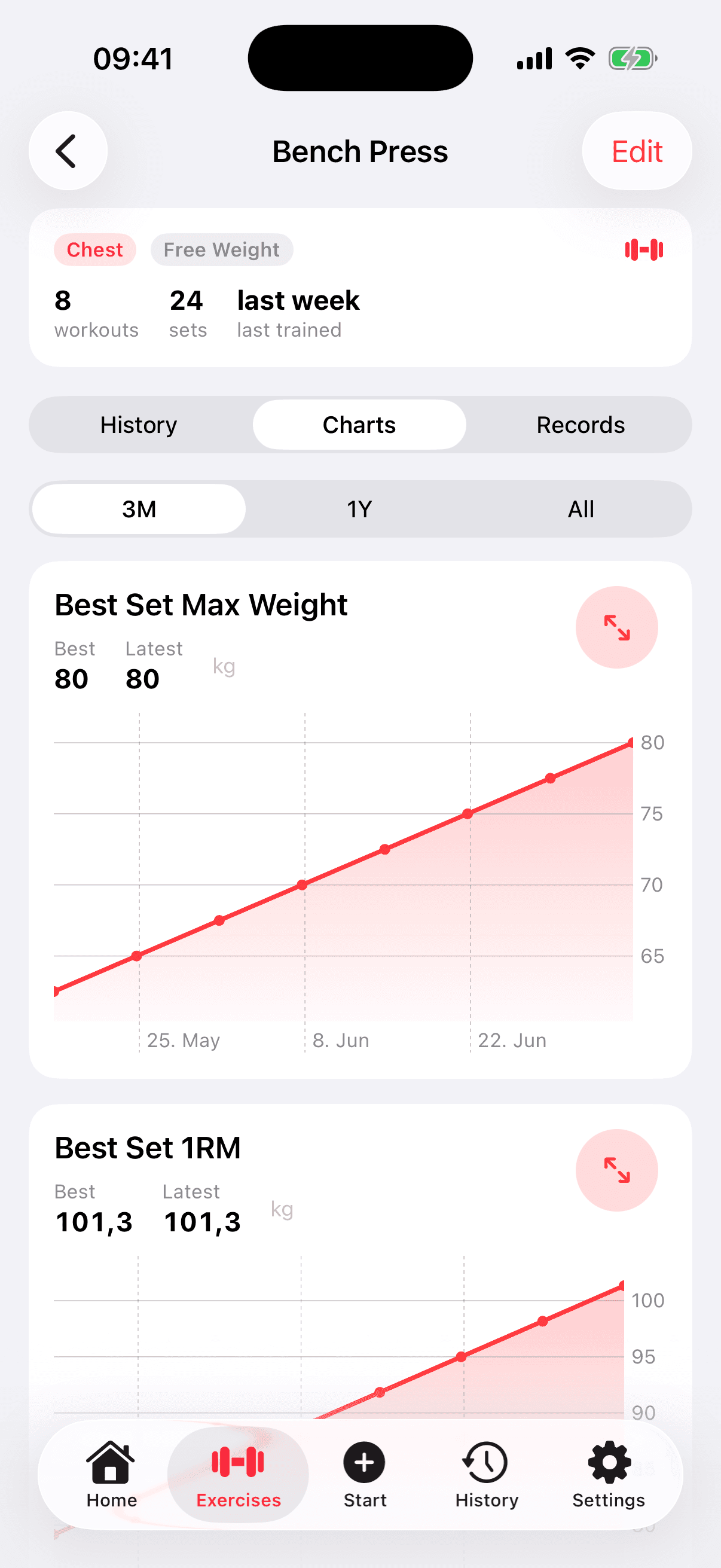
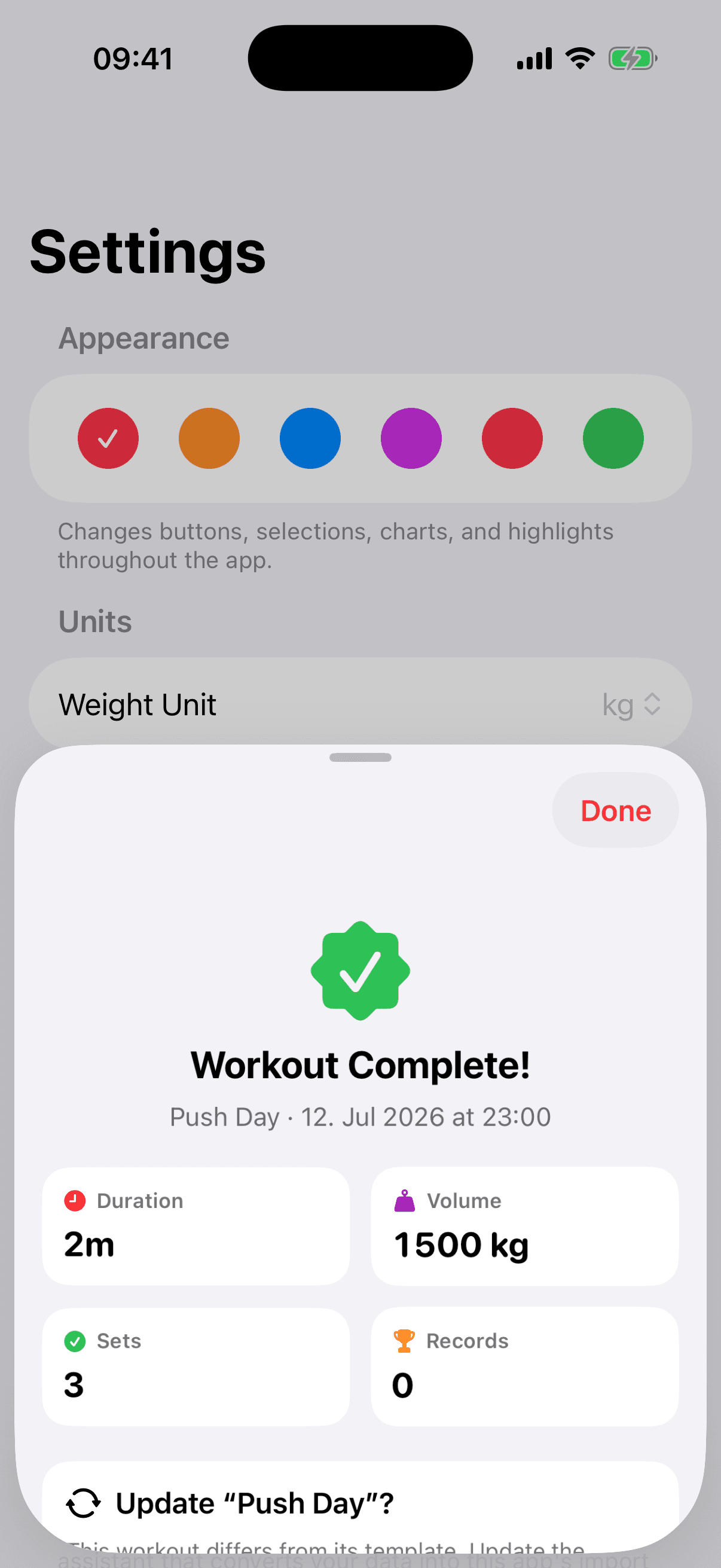
History, exercise trends, and the completion summary turn logged sets into useful context without pretending every number is a verdict.
Questions, answered
Yes. Gym Tracker is completely free to use on iPhone, including plan import, workout templates, set logging, history, and progress views. There are no subscriptions, ads, or upsells.
Yes. Gym Tracker provides a prompt and structured import format that you can use with ChatGPT, Claude, or another general AI assistant. Review the result, match exercises, create anything missing, and save the plan as reusable workout templates for free.
Yes. You can build reusable templates, organize them into folders, record sets, reps and weights, separate warm-up sets, and review completed workouts. The app is designed around your plan rather than a required coaching program.
Previous set values stay visible while you train, and exercise history shows records and trends over time. That lets you progress through weight, reps, sets, execution, or consistency instead of treating heavier weight as the only form of improvement.
No. Gym Tracker provides a prompt and import format you can use with a general AI assistant. The assistant creates the plan; the app turns the result into workout templates. It does not coach or verify the advice.
Workout logging continues with local device storage. When iCloud is enabled and available, it can keep data in sync; the app does not need a connection to record a workout.
The current product is made for iPhone. Android, iPad, web, Apple Watch, and coaching support have not been announced.
 Gym TrackerWorkout tracking · iPhone
Built for iPhone
Completely free, with no subscription, ads, or upsells. A focused workout log that stays out of the workout.